Features
Chores, routines and a balance your kids can see.
Your kids see what needs doing today, and you approve it in one place. What they earn goes on their balance right away, so you can stop sending money every time they ask and settle up when you've agreed to.


Free to download for iPhone, iPad and Android. The free version covers one child and five active chores, and the Family plan unlocks more kids and chores.
Chores and routines
A plan that fits real weeks.
Make chores for one child or all of them, paid or unpaid, and pick a rhythm that suits your family.
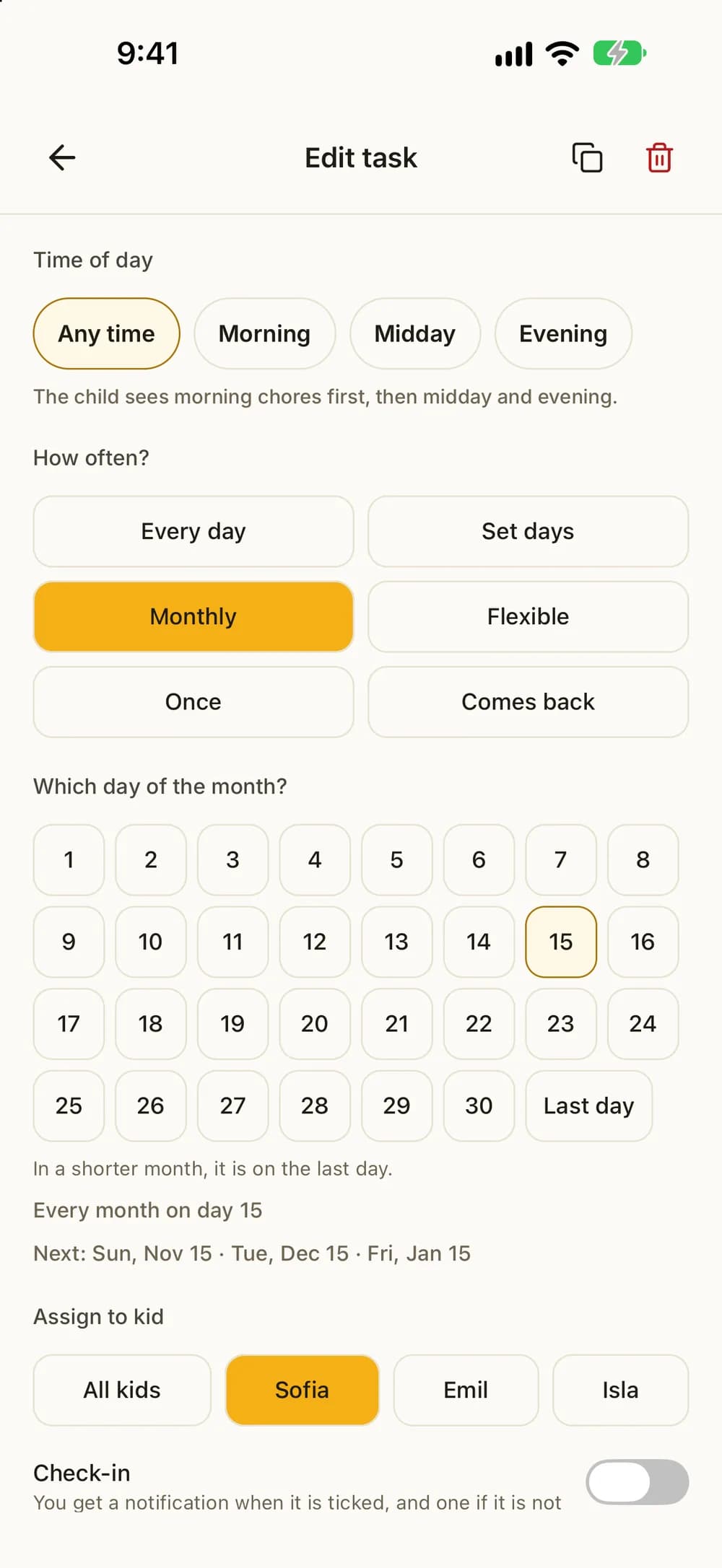
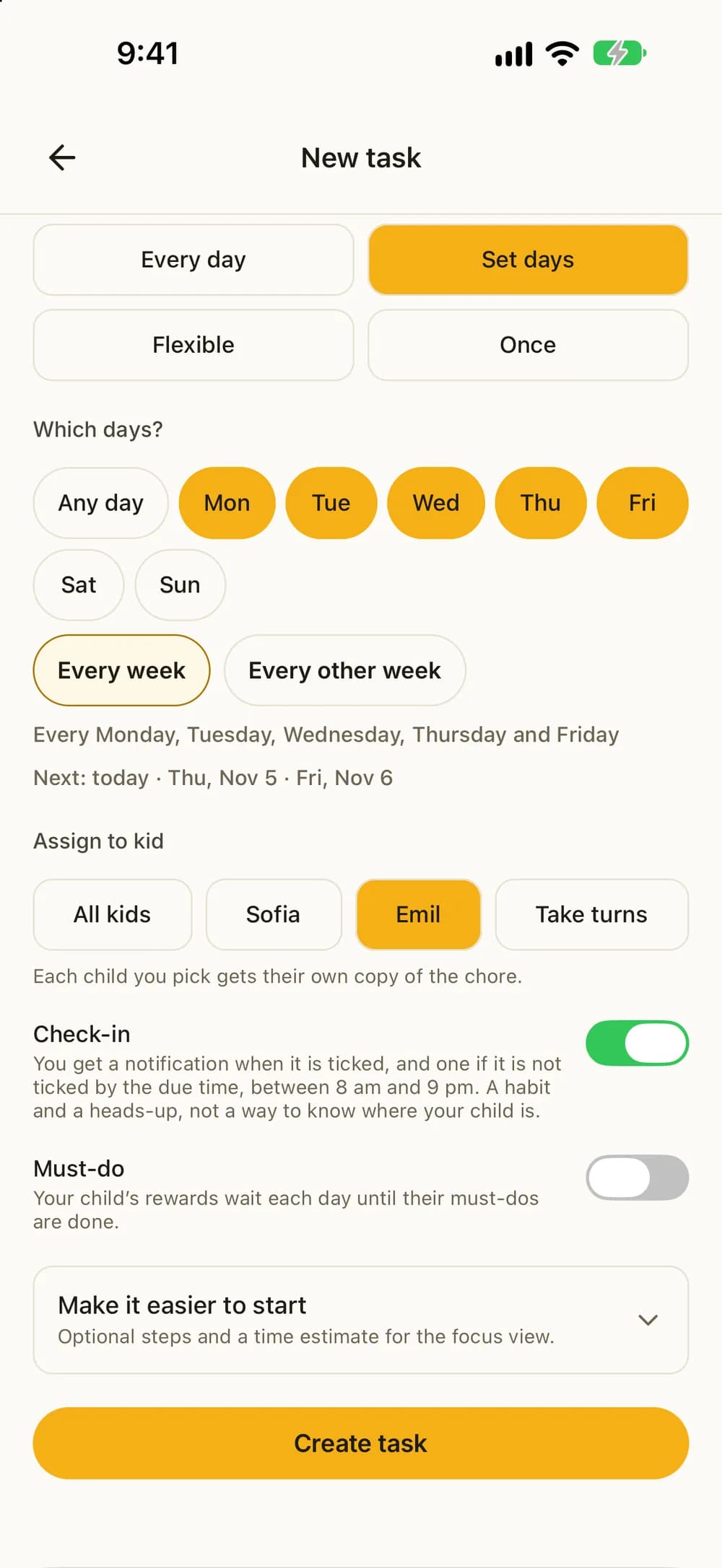
- Every day, chosen weekdays, once on a set date, one day each month, or a set number of times per week, fortnight or month.
- Paid or unpaid. You decide which chores need your approval and which need a photo.
- Fixed weekdays every other, every third or every fourth week, for example for kids who live in two homes. You choose which week it starts.
- Monthly: pick a day from 1 to 30, or Last day. In a shorter month, the chore comes on the last day.
- Comes back: the chore returns 2 to 90 days after it was last done. Good for things that need no fixed day, like changing the bed.
- Siblings can take turns on a chore. You choose who starts.
- First to do it takes it: one child takes the chore each day, and the others see who took it.
- Give a day off, skip a single day, or hand one day to a sibling. Their streak stays safe.
- Kids can suggest a chore and what it should pay. You add it or say not now.
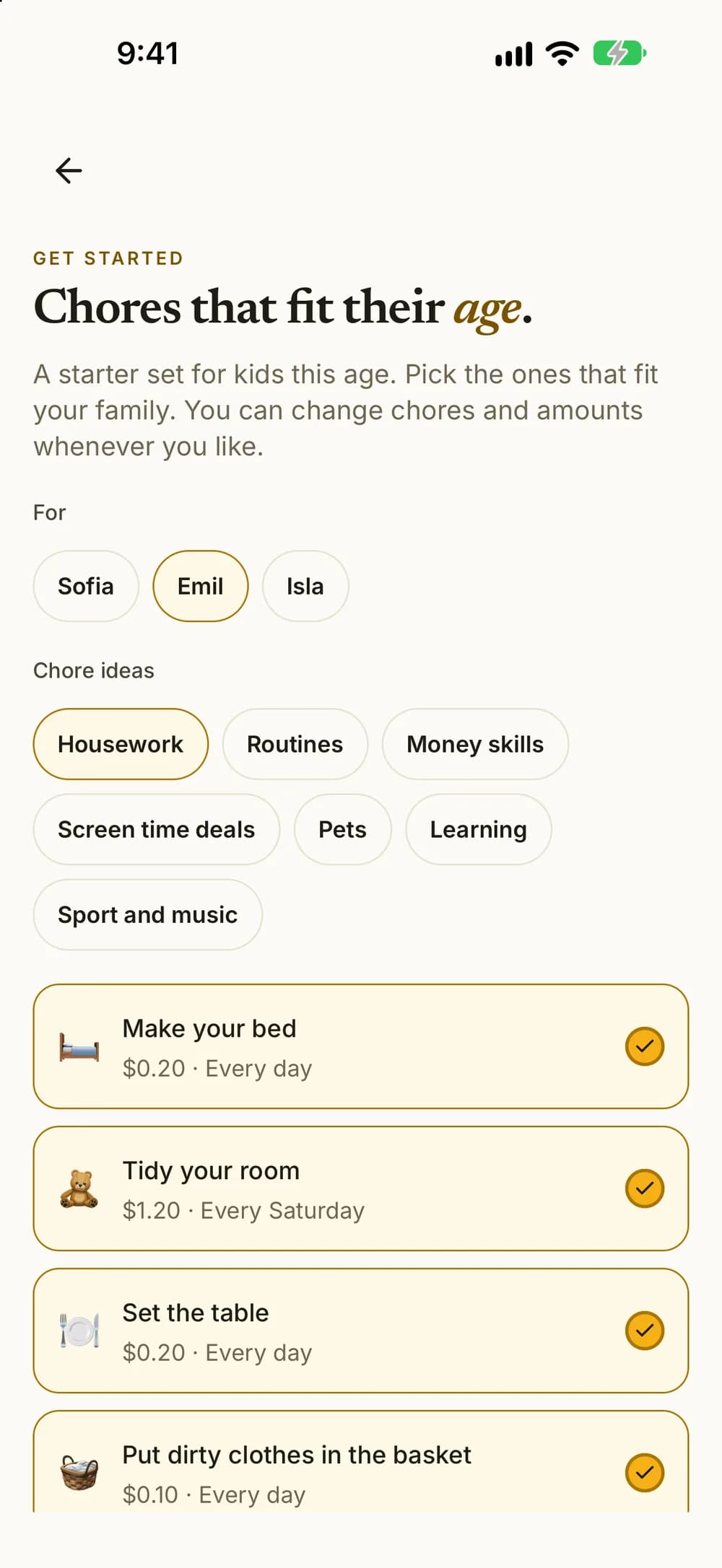
- Chore ideas in ready-made packs, like Routines with steps, Pets, Learning and Money skills, picked for your child's age.
- Check-in: you get a notification when it's ticked, and one if it isn't ticked by the due time. A habit and a heads-up, not a way to know where your child is.
- Print each child's week as a chore chart.
These examples show several kids with the Family plan.
Less nagging
Their own list for today.
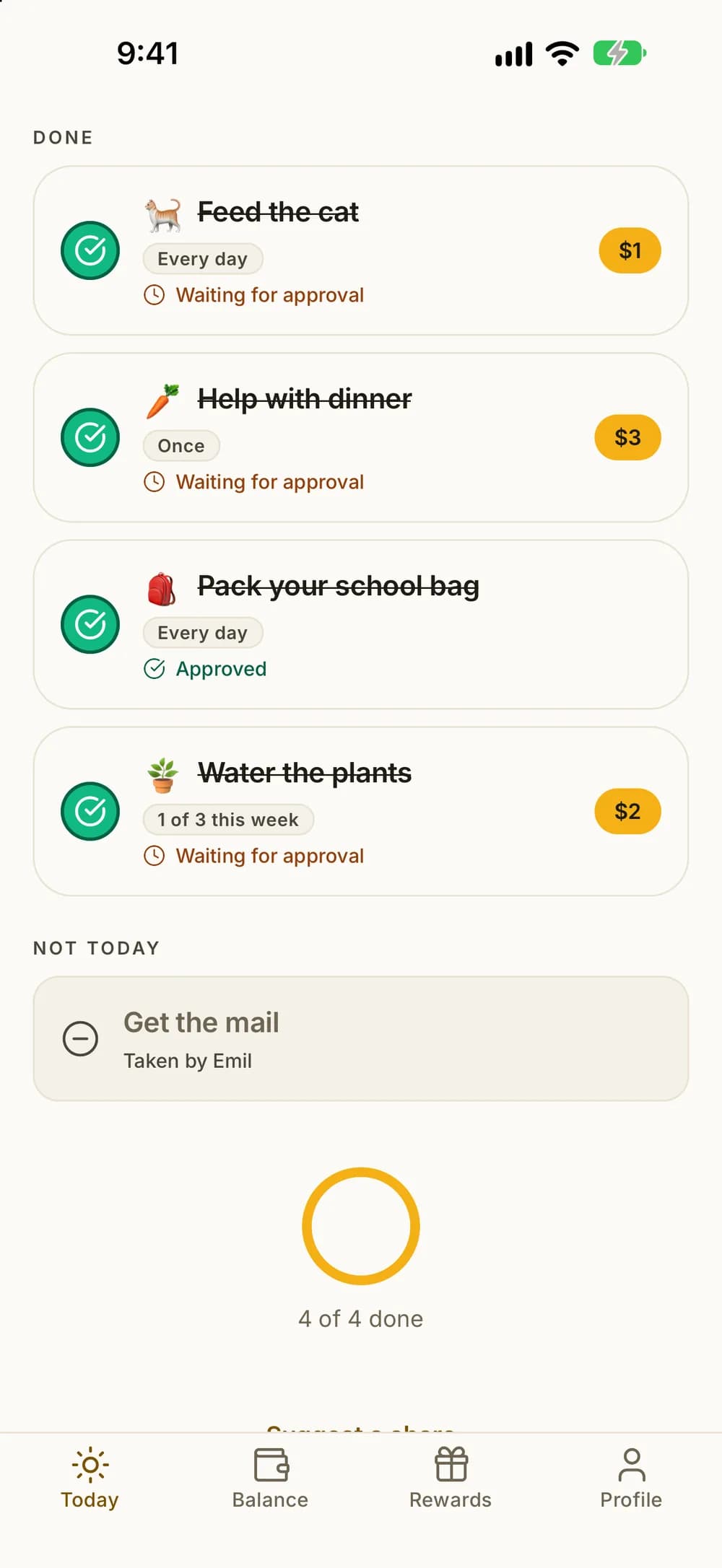
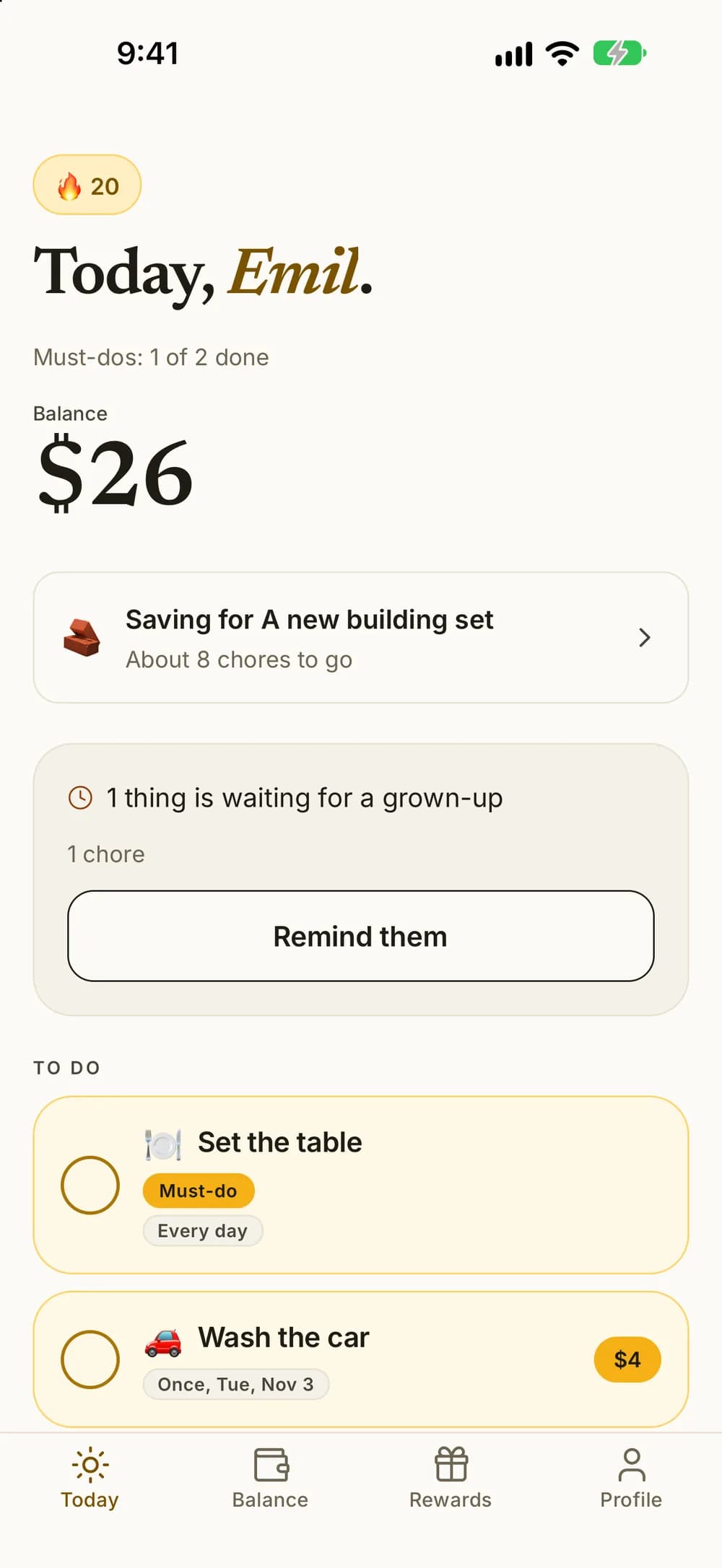
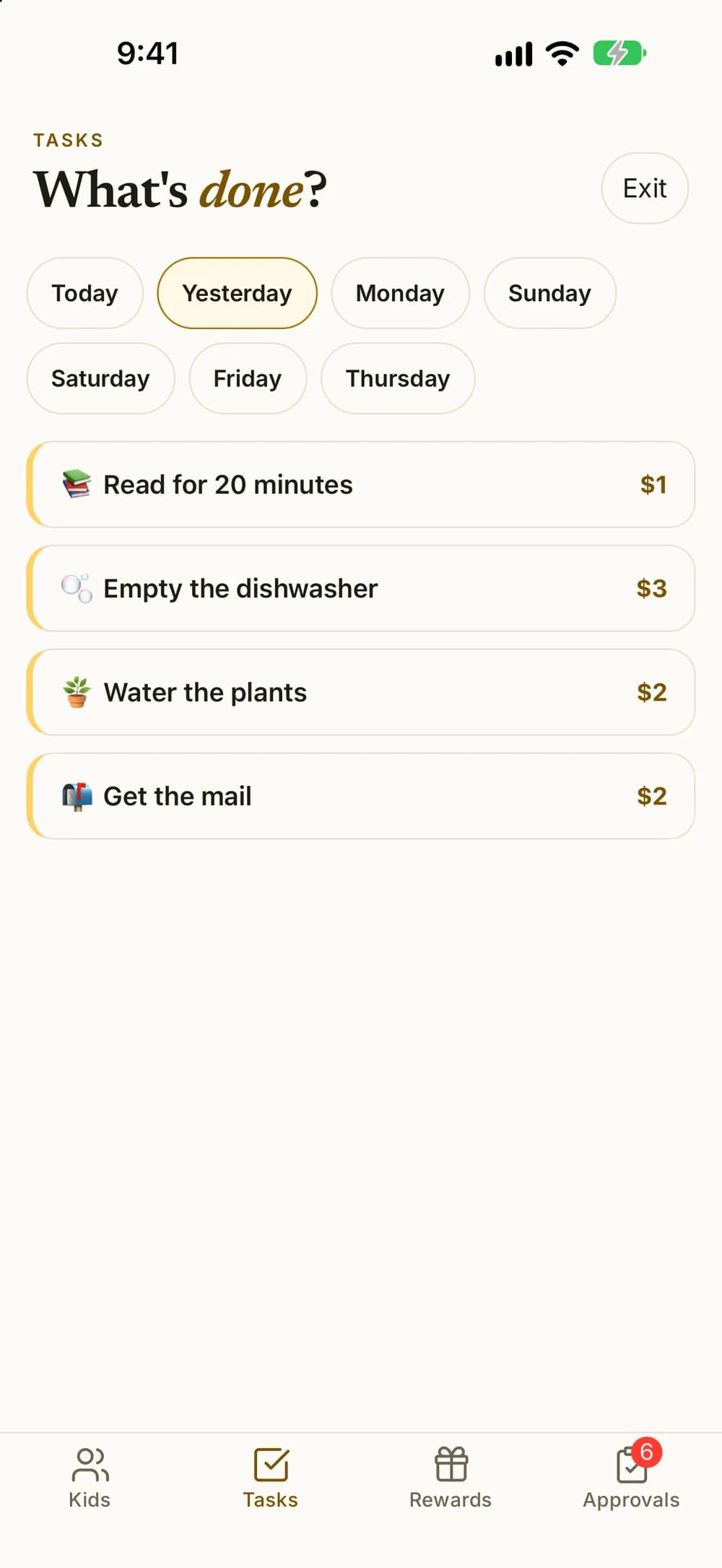
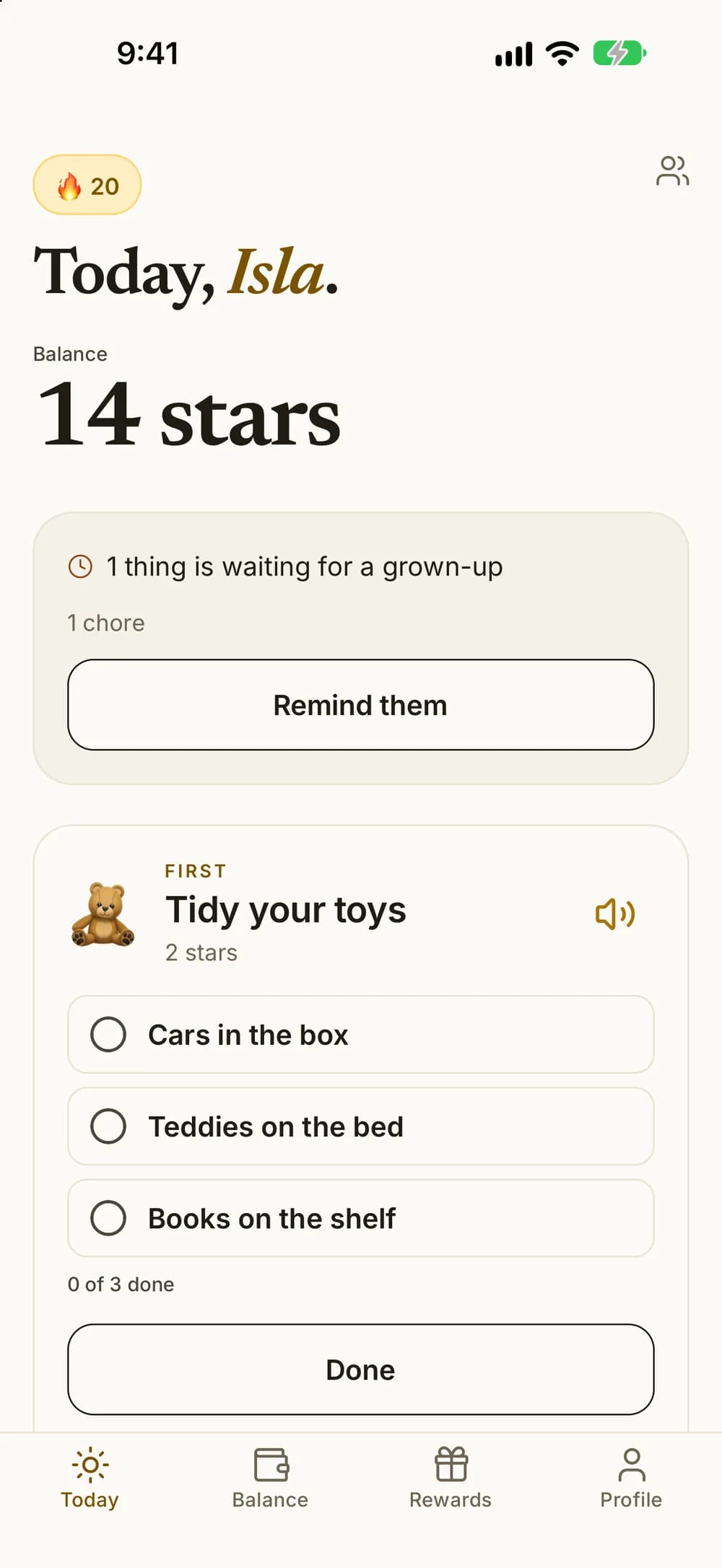
Your child opens Kroni and sees today's chores, their balance and what is waiting for a grown-up. The list does the reminding, so you don't have to.
- They tap the circle when a chore is done.
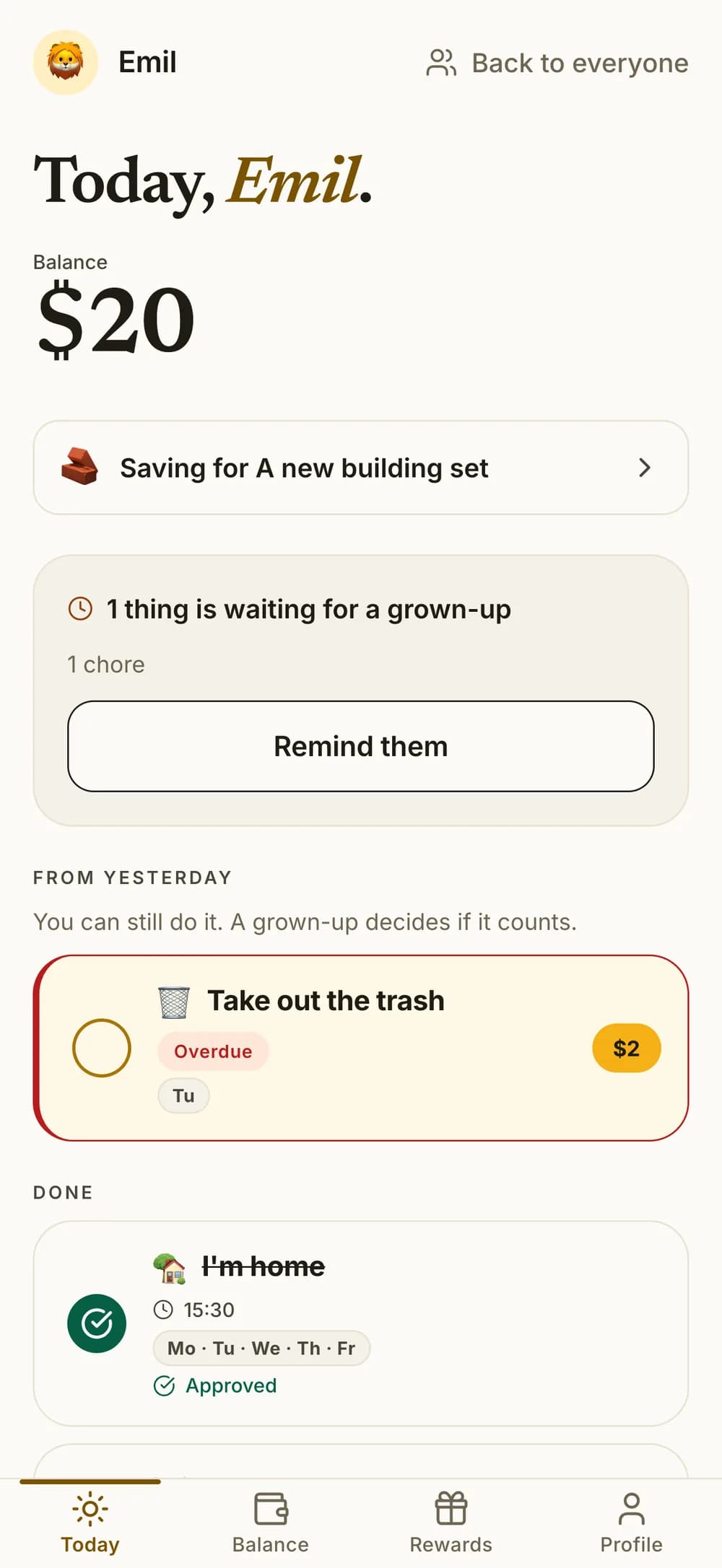
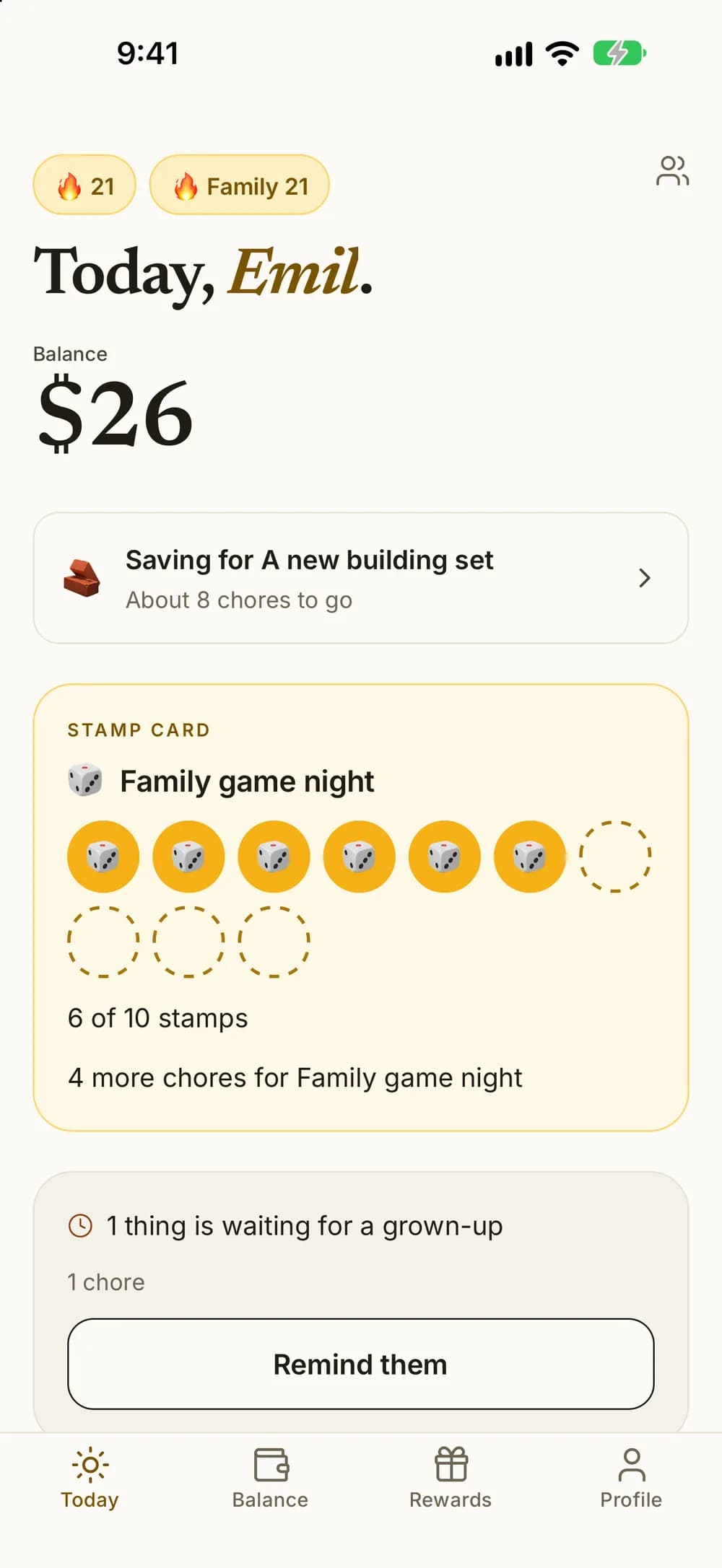
- If something is waiting for you, they can send you a reminder, at most once every four hours.
- Optional chore reminders between 8 am and 9 pm, no more than two a day. You can turn them off for each child.
- What's urgent comes first. Timed chores are marked Overdue, Due soon or Plenty of time.
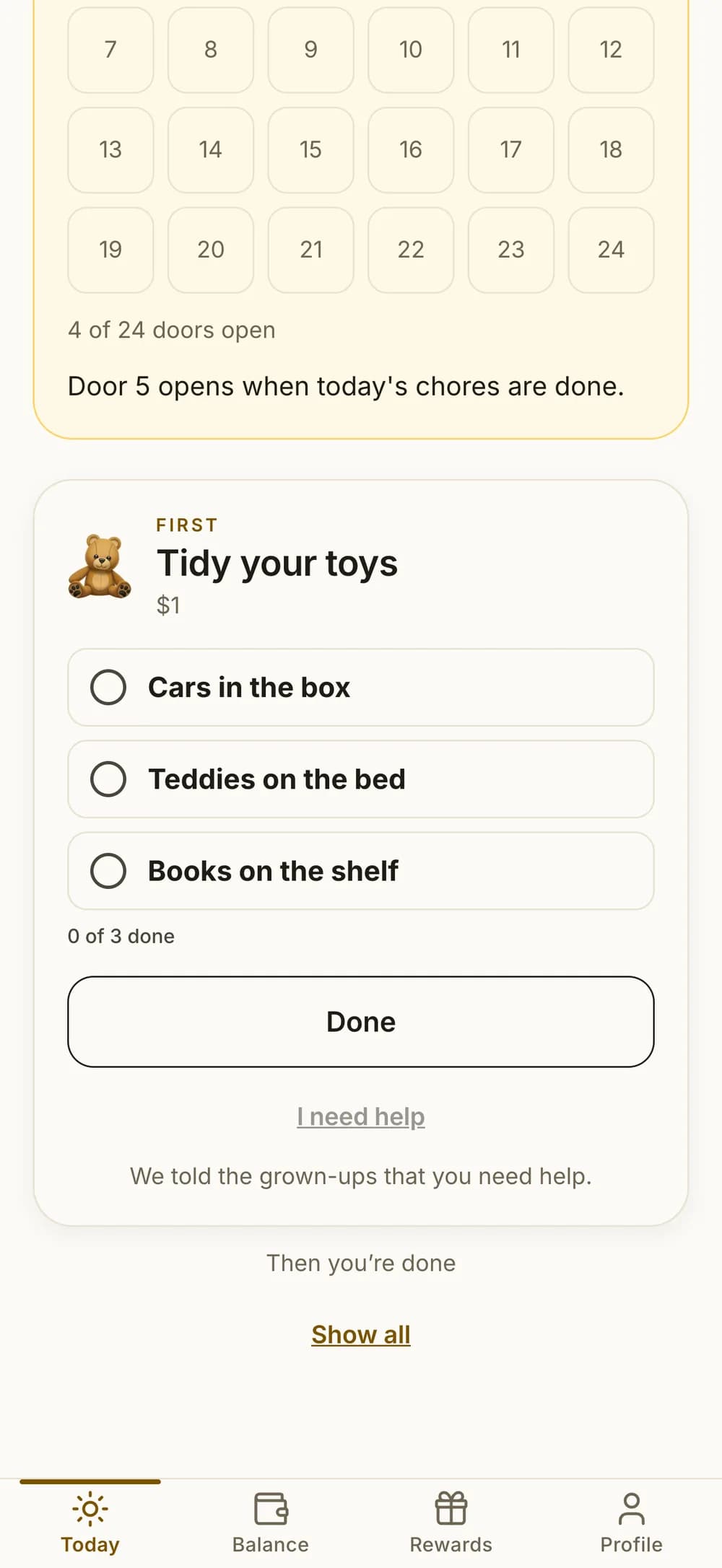
- Stuck? They can tap I need help, and you get a notification within the help hours you set.
- If a regular chore was missed yesterday, it shows under From yesterday. They can still do it, and you decide whether it counts.
- If they're saving for something, Today shows about how many chores are left.
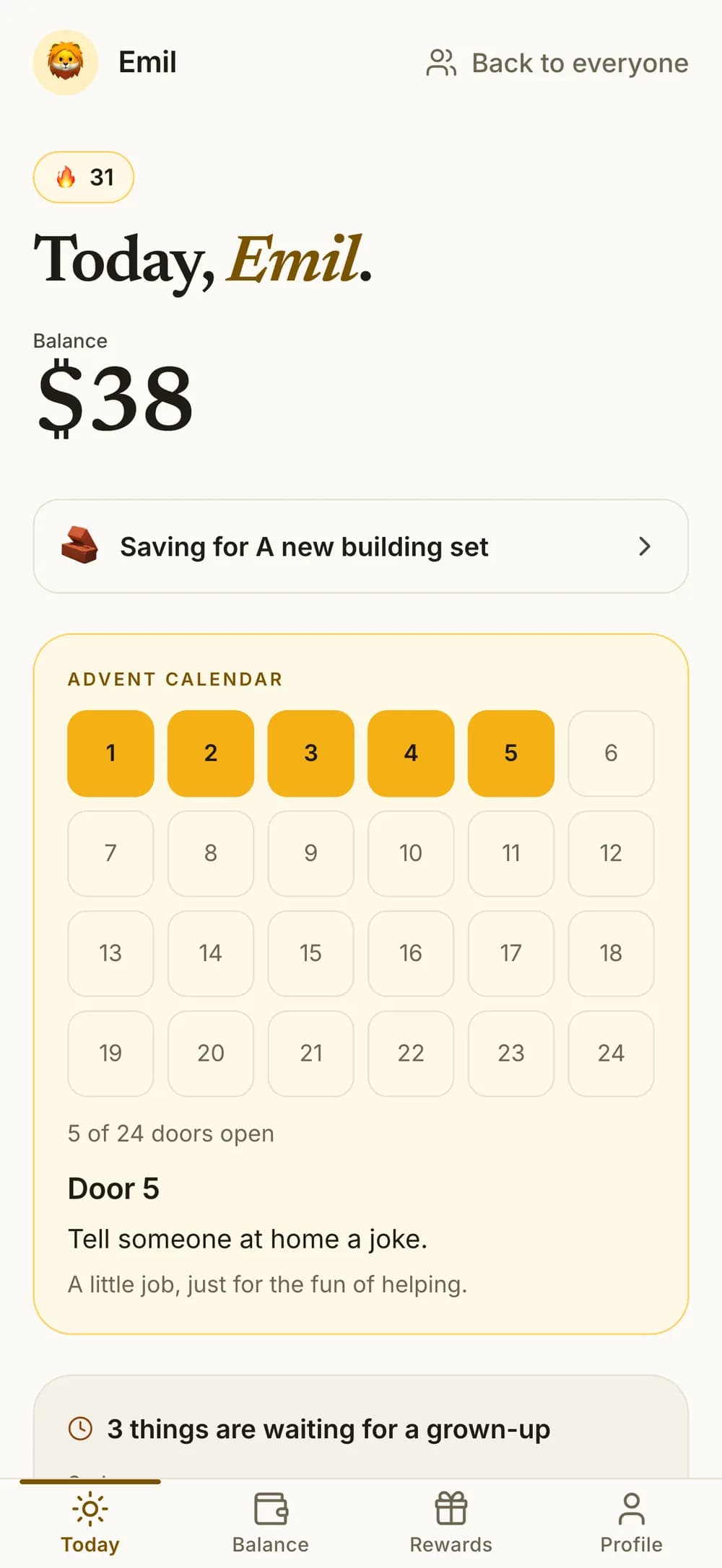
- An advent calendar in December: turn it on, and from 1 to 24 December your child opens a door each day once today's chores are done. Behind each door is a little helping job.

Approve and pay
Approve it, and it's on their balance.
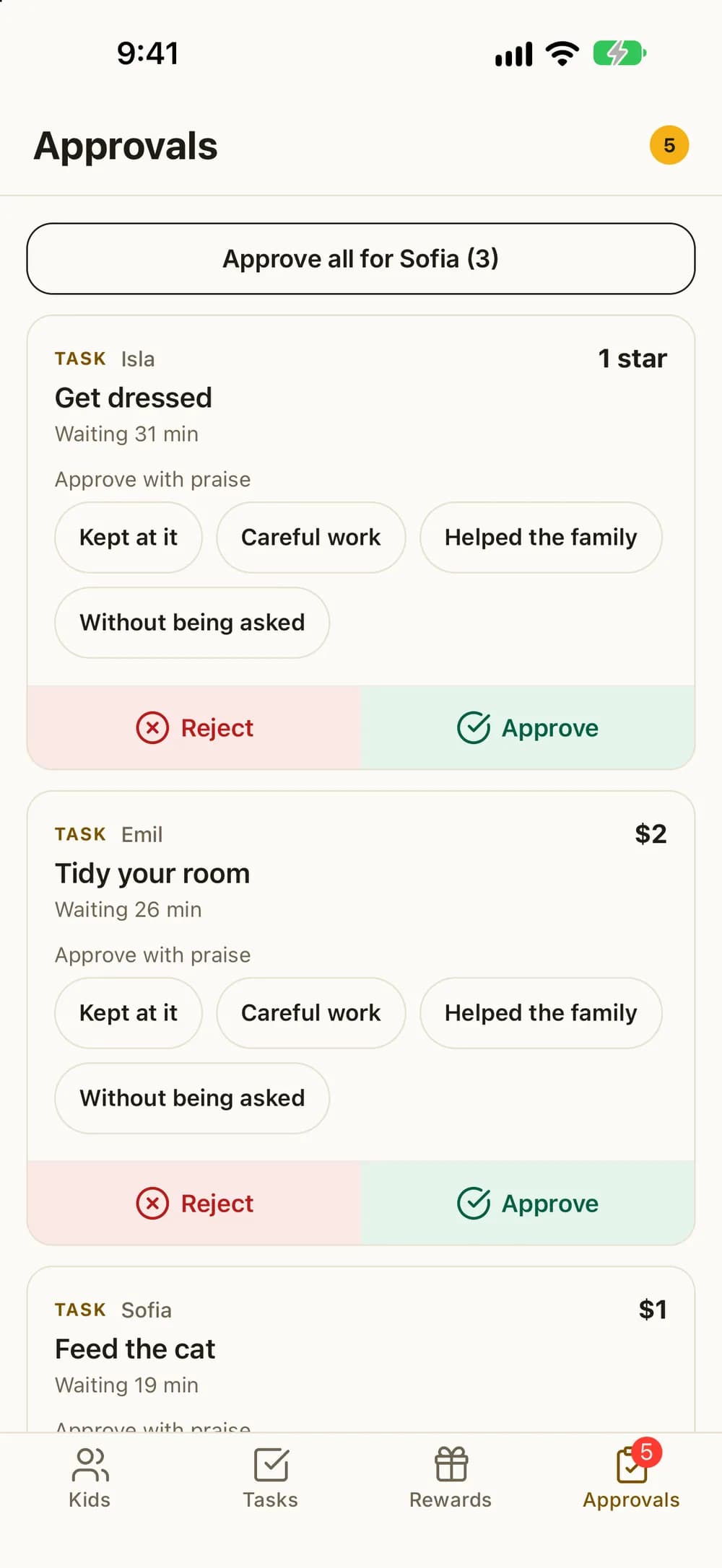
When a chore needs your OK, it waits in one list. Approve it and the money is added to their balance right away. If it needs another go, send it back with a short note.
- Everything waiting from every child, in one place.
- Approve all of one child's chores with a single tap.
- See the photo when a chore asks for photo proof.
- Add praise with one tap when you approve. It lands in their history.
- Trust a child to do what they say? Their chores can count the moment they tick them. Chores that need a photo still wait for you.
- Changed your mind? You can undo an approval within 24 hours.
- Mark a chore done for one or more kids yourself, and it's credited right away.
- Did your child forget to tap it? Record the chore up to six days back.
- Both parents can approve from their own phone, and the history shows who did.
No phone needed
Works without a phone for your child.
Your child doesn't need a phone of their own. Use the family phone or a tablet, or connect their own device when you're ready.
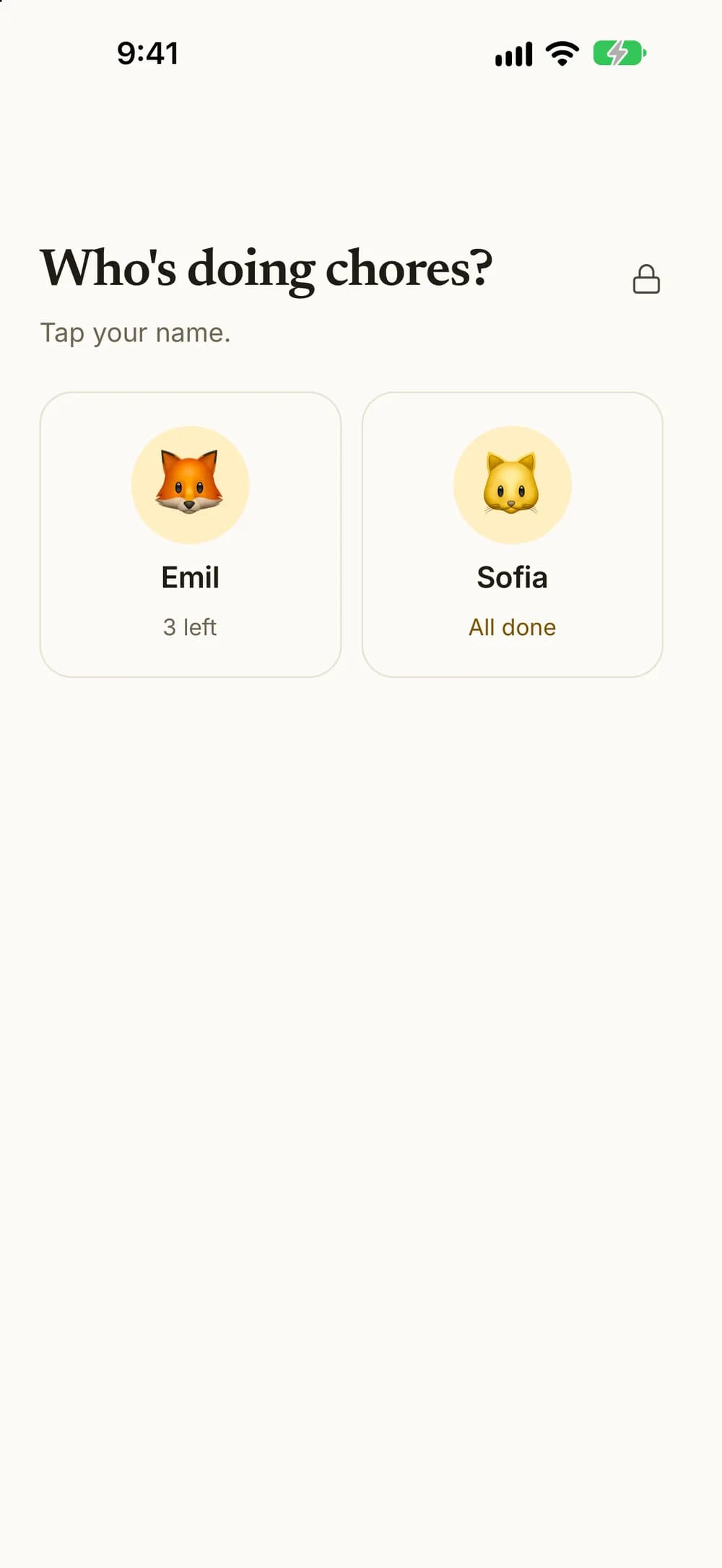
- Switch to your child's profile on your phone. Handing it over locks the parent side.
- Get back to the parent side with Face ID or your fingerprint.
- When kids share one phone or tablet, Kroni starts with an overview of how many chores each child has left.
- The family board can stay up in the kitchen. It keeps the screen on from 6 am to 9 pm.
- Connect your child's own phone or tablet with a code, a QR code or a link.
- Your child needs no email address or account of their own.
- Kroni also works in a browser on a computer or tablet, for you and for your kids.
This example shows two kids with the Family plan.
Rewards and wishes
Something to look forward to.
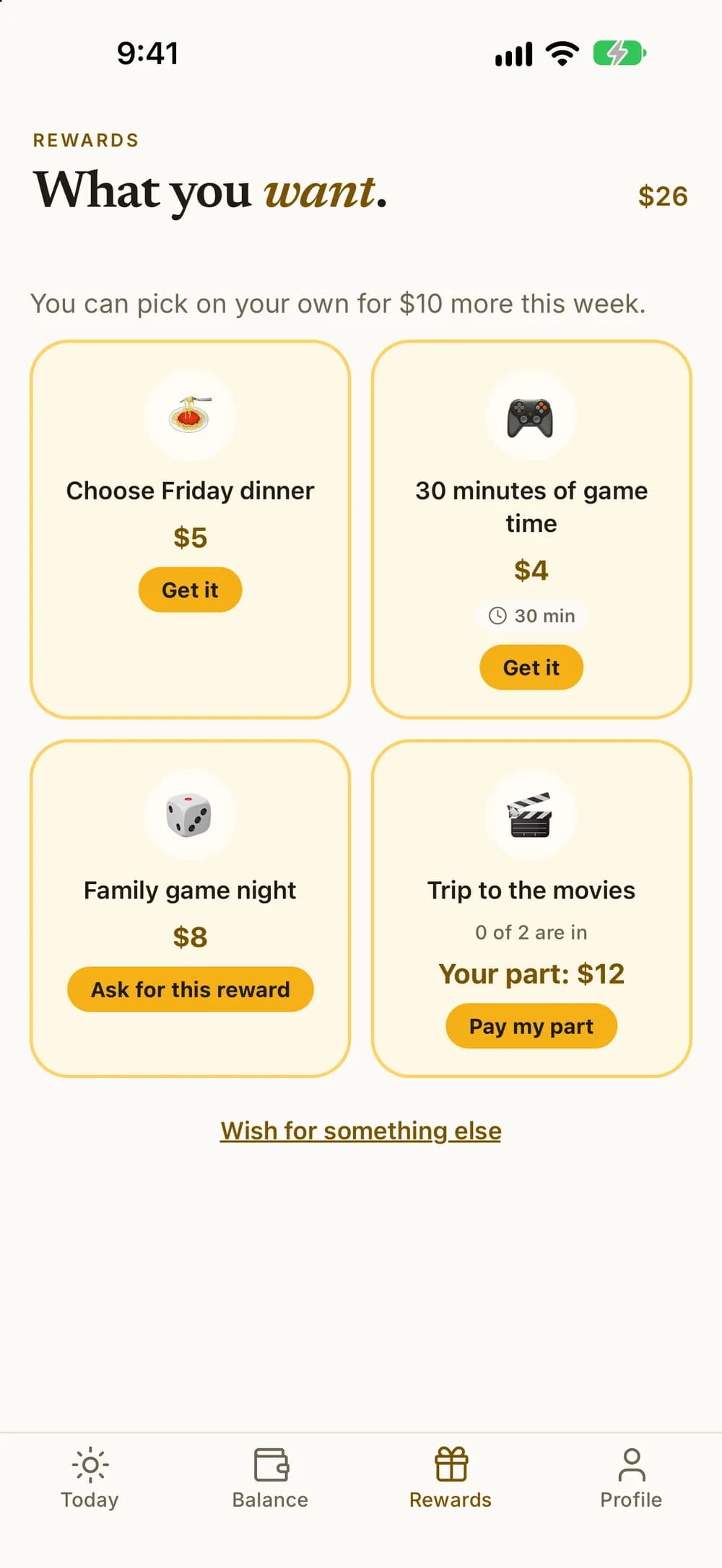
Create rewards that fit your family, like a movie night or extra game time. Your child asks for one with their balance, collects stamps toward one, or picks one on their own within a weekly amount you set.
- Rewards for one child or the whole family, with ready-made ideas to start from.
- Stamp card: each approved chore adds a stamp toward a reward you choose, with 3, 5 or 10 stamps. When the card is full, your child can ask for the reward.
- Free choice: set a weekly amount and a top price, and your child can get rewards within both without asking. Pricier rewards still need asking.
- You can get a notification when they pick one on their own, and undo it within 24 hours.
- Kids can wish for a reward you haven't added yet.
- Mark the important chores as Must-do, and rewards wait until they're done for the day.
- Your child sees about how many chores a reward costs, and is told when their balance is enough.
- Timed rewards get a countdown from 5 minutes to 8 hours. Kroni doesn't block other apps.
- In the app, your child gets a notification five minutes before a timed reward of 10 minutes or more ends.
- On iPhone, the countdown also shows on the Lock Screen.
Allowance and savings
Allowance, savings goals and a family pot.
Set up a regular allowance if you want one, and help your child save toward something bigger. Kroni keeps the books and never moves real money.
- Allowance every week, every other week or every month. You see the next payday before you save.
- Choose for each child whether allowance is paid in full, only when every must-do is done, or as a share of how much got done. On a day off it can be paused.
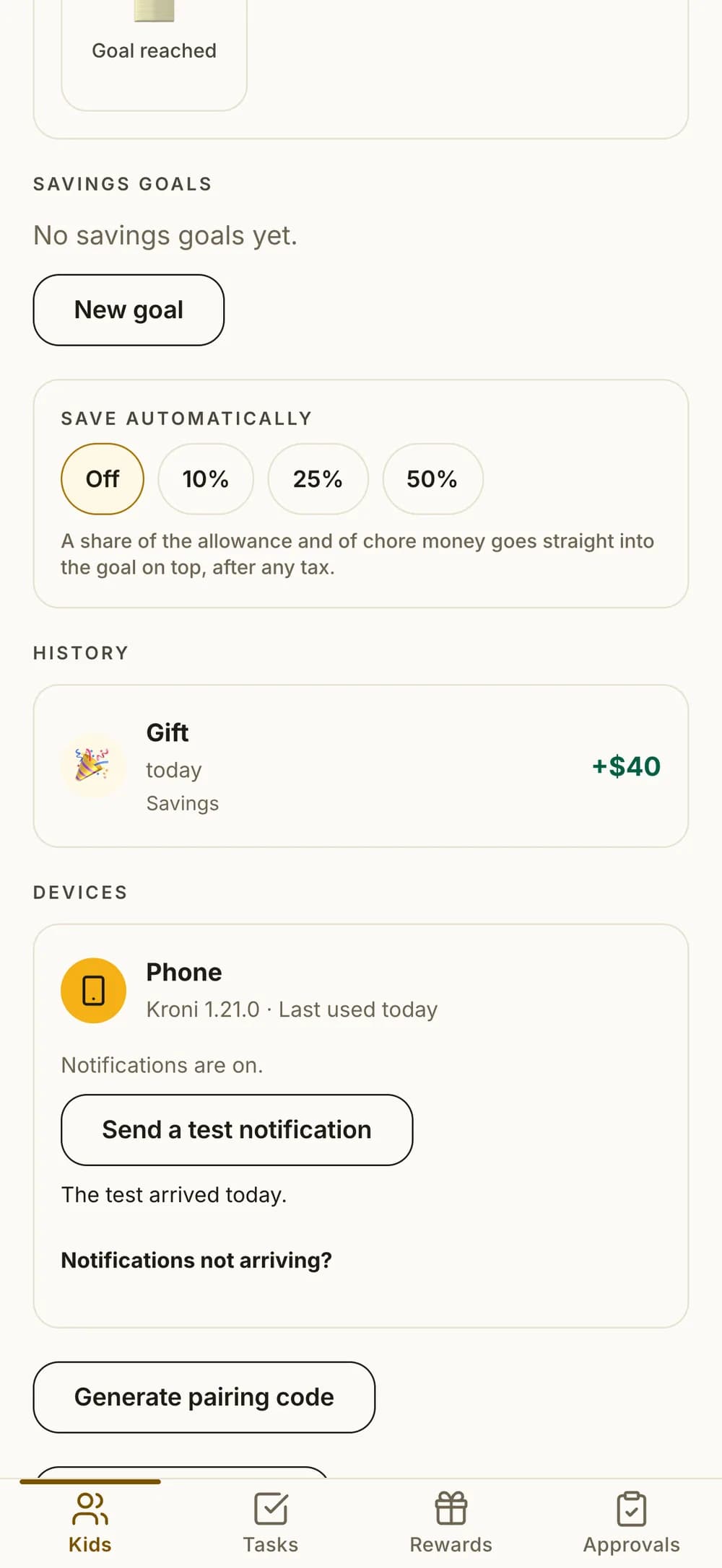
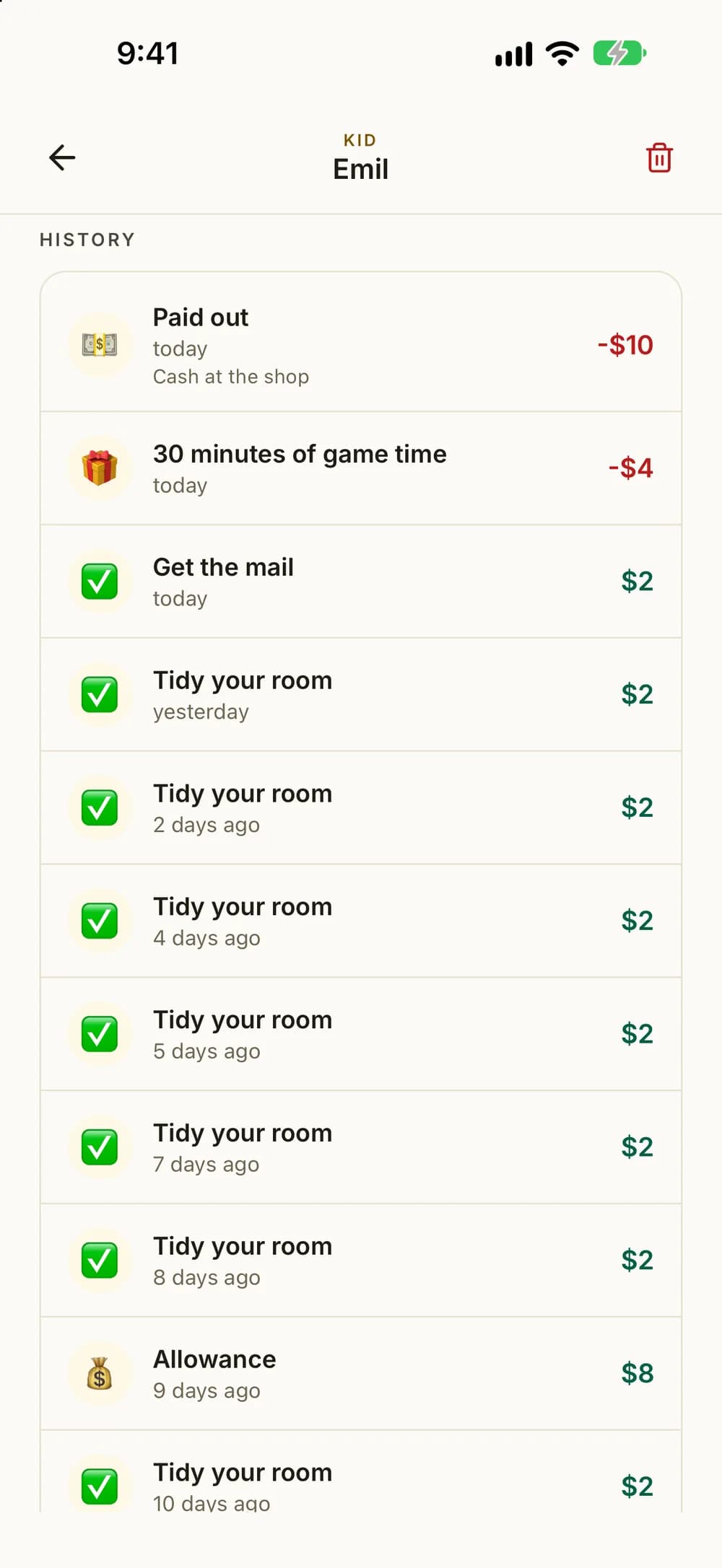
- Add a little extra or take some off, with a note. When you take money out because you paid them, it shows as Paid out in their history.
- See what your child is owed since the last payout, and mark it Paid out with one tap.
- Your child can ask for their money. You get a notification, pay the way you usually do and mark it paid.
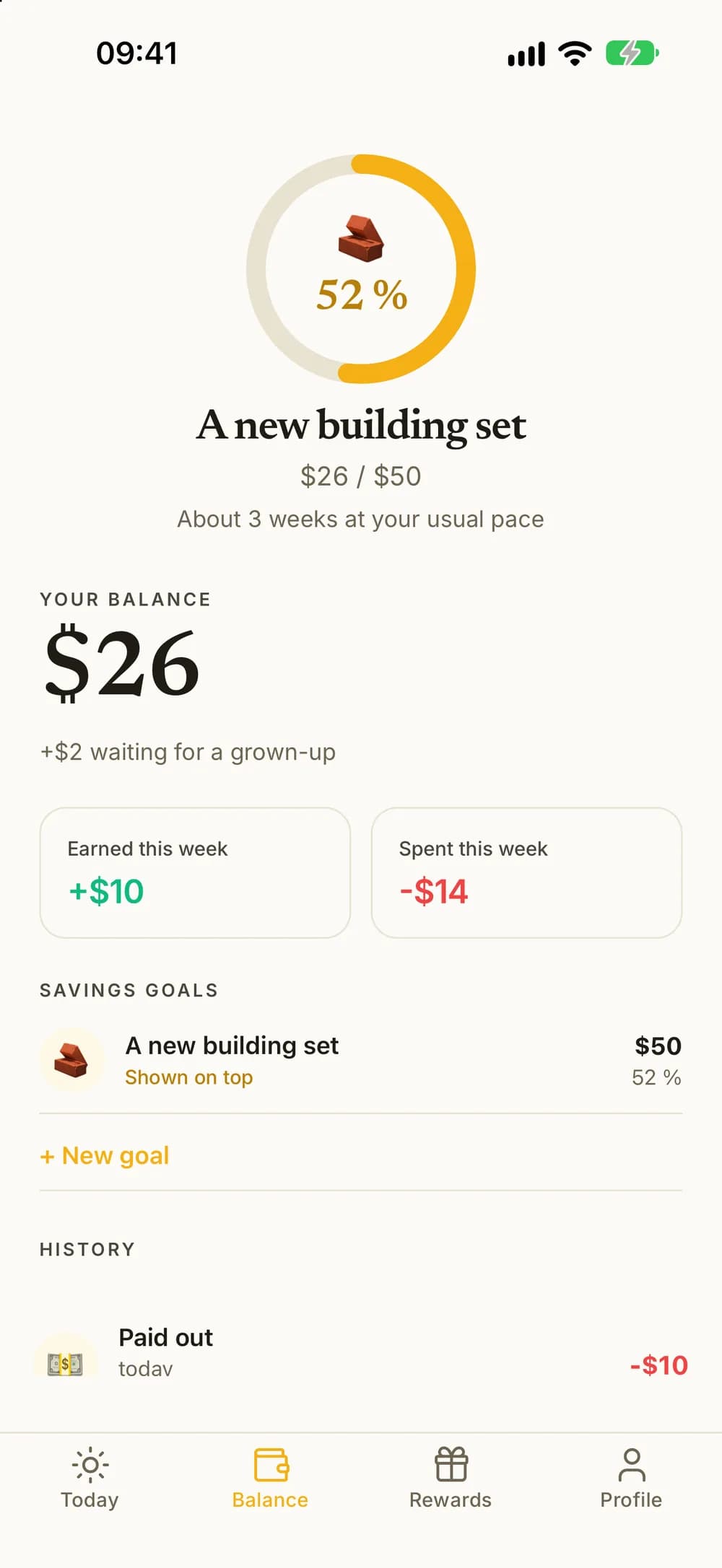
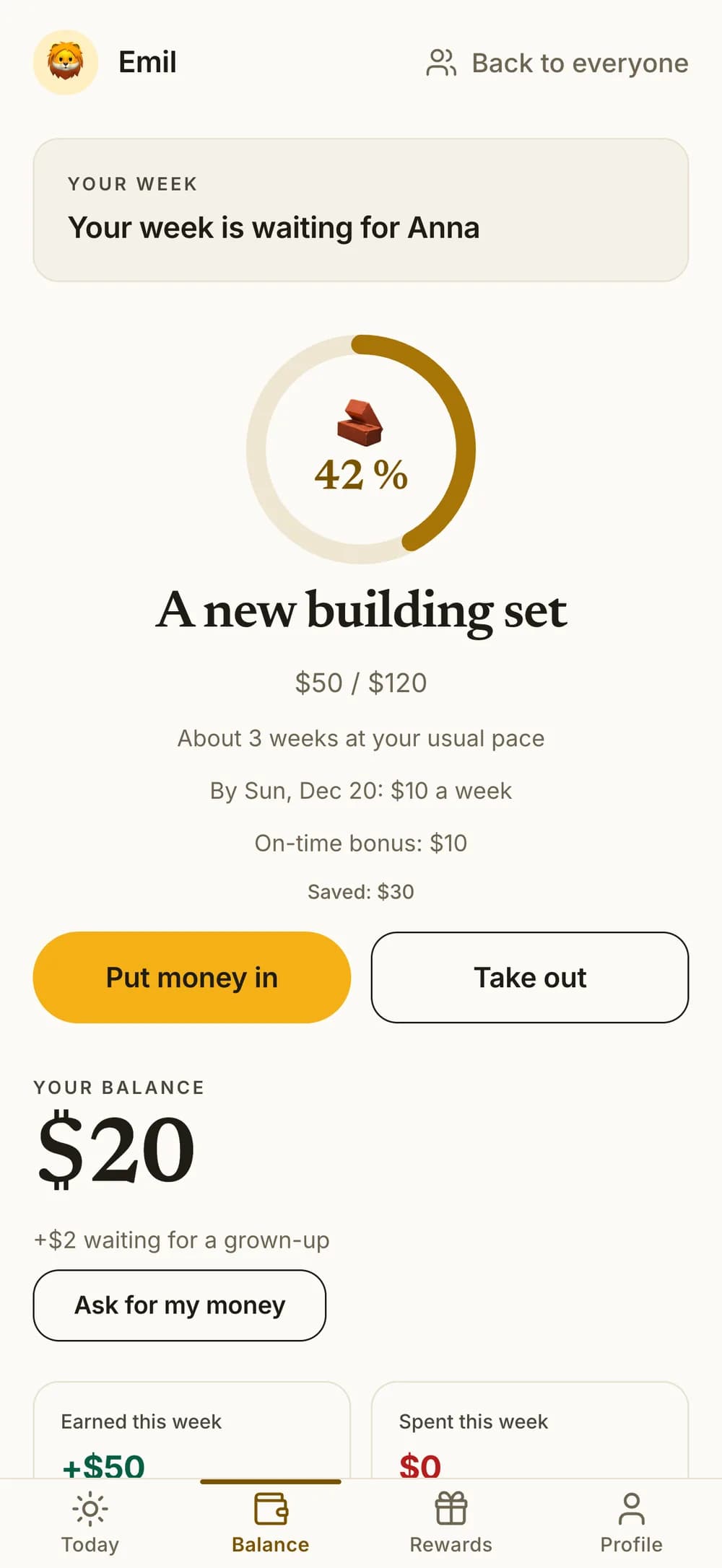
- Several savings goals that fill up from the balance as your child earns, with about how many weeks are left at their usual pace. Your child can pick one to show.
- Save automatically: 10, 25 or 50% of what your child earns goes straight to their savings goal.
- Give a savings goal a date, and your child sees how much is needed each week. You can add a bonus for reaching it on time.
- Your child can also put money into a goal, and you can promise to add a percentage of it.
- Kroner, dollars or another currency, or points, stars and stickers.
- With a family tax, part of what the kids earn goes to a family pot.
Money skills
Learning about money as it happens.
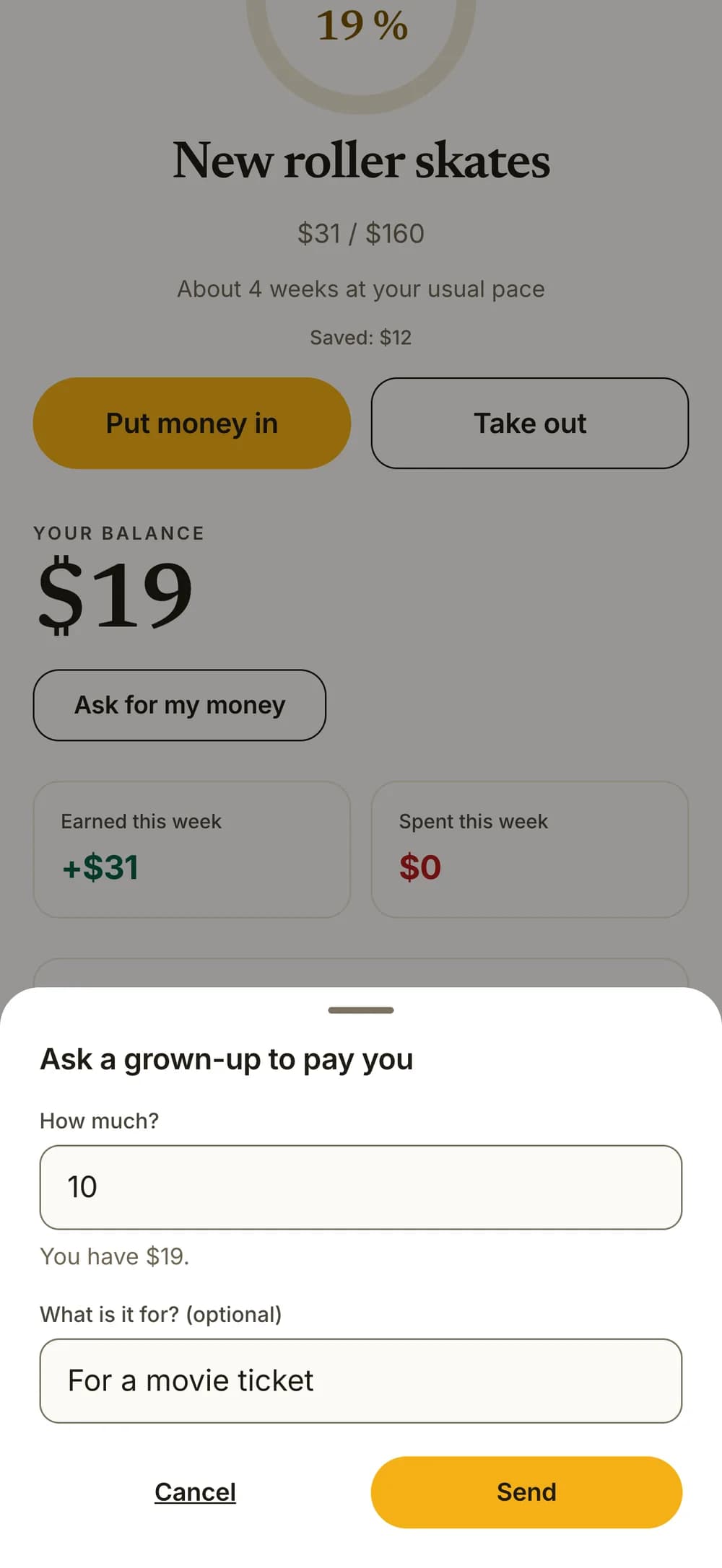
Kids understand money best when something happens to their own. That is when Kroni shows a card with a short, simple explanation under the balance on Today.
- A card the first time your child earns money, spends it on a reward, reaches a savings goal, gets a savings bonus or has money paid out.
- If they ask for money and the answer is no, the card explains that their money is still theirs, and they can ask again another day.
- The cards explain without lecturing, and never say what your child should have done.
- Each card comes only once, even when your child uses more than one device.
- If you use points or stars, four of the cards show, and they are about the points or stars, not money.
- With read aloud on, your child can have the card read to them.
- The Money skills pack has small money missions you do together, like comparing prices or keeping a snack budget.
Weekly goals
A goal for the week, and a good way to close it.
Give each child a weekly goal to work toward, then look back on the week together.
- A weekly goal for each child, with an optional bonus when they reach it.
- Streaks where one chore done keeps the day. Up to two streak freezes stand ready to save a streak by themselves, and a new one arrives every Monday.
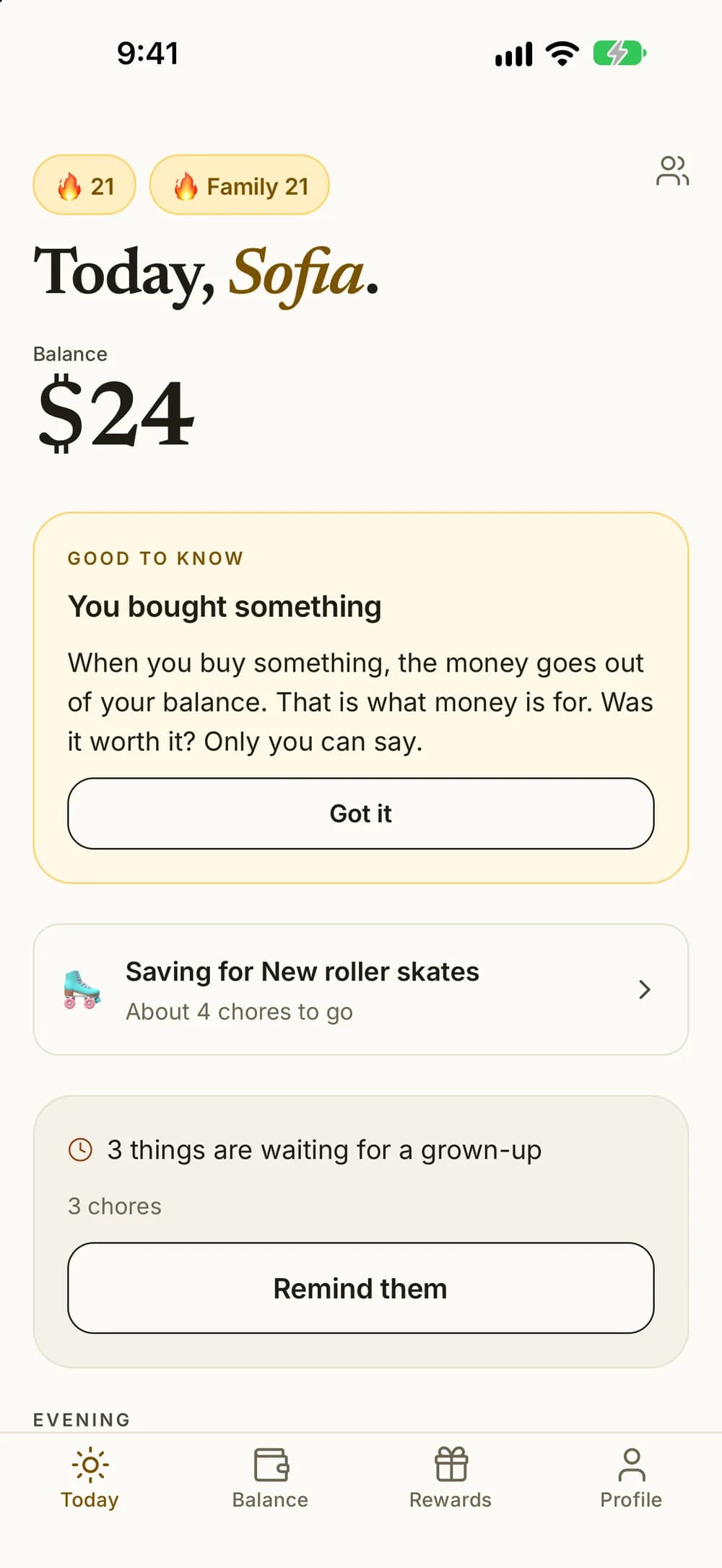
- Close the week with a note to each child, and share a summary. Amounts can be hidden.
- In December: your year in Kroni, with chores, earnings, savings and the longest streak for each child. Share it as a picture, with or without amounts.
Family streak and challenges
Siblings on the same team.
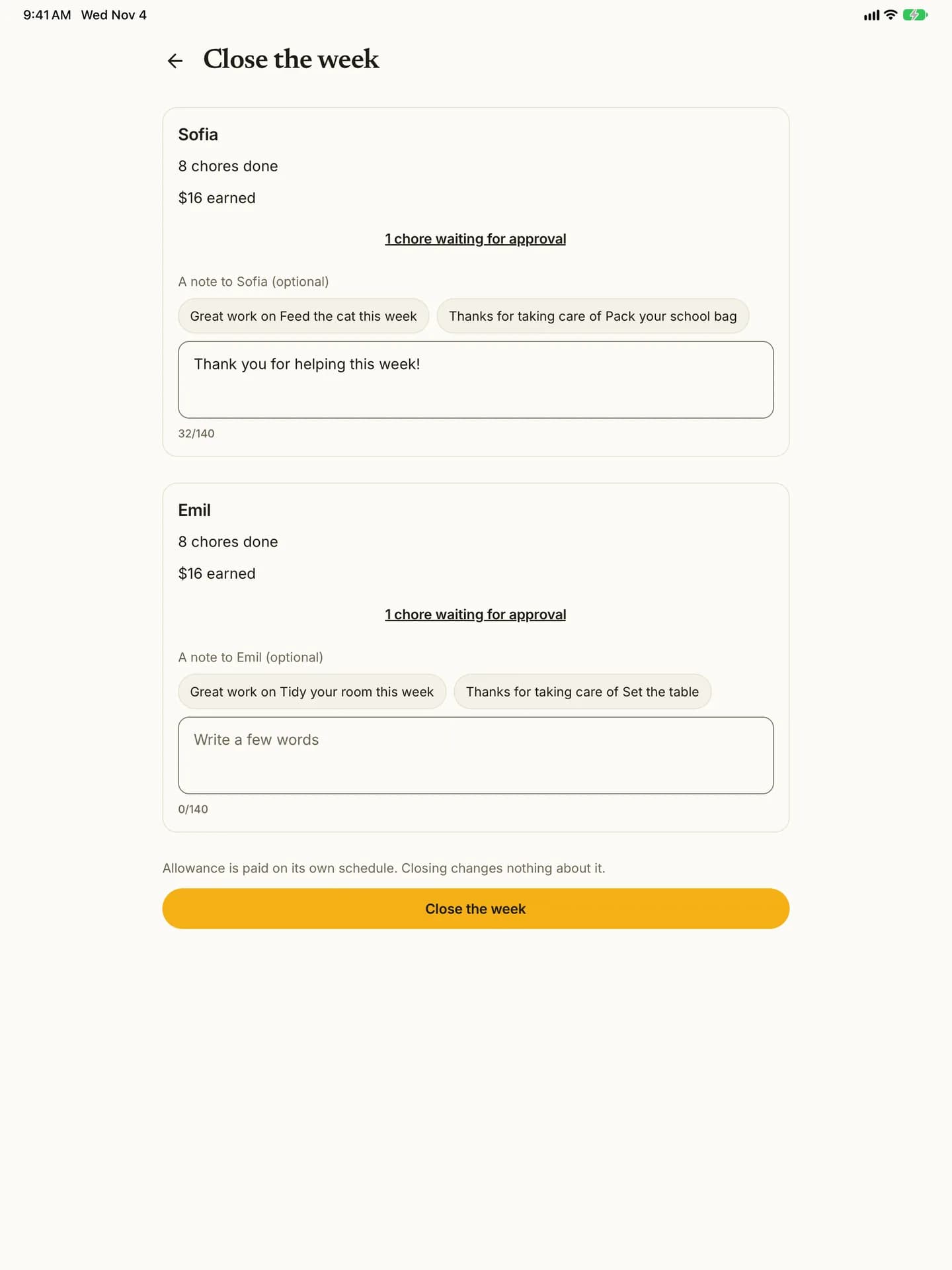
With more than one child, your kids can work toward something together. The family streak and the week's challenge show on the family board and on each child's Today.
- Family streak: Kroni counts the days in a row when every child who had chores did at least one. A day off doesn't break it. It's paused while any child has calm mode on.
- A new challenge every Monday: turn it on, and the family gets a shared challenge for the week, set from last week's chores plus a little more.
- Pick a prize that goes on each child's balance when the family wins.
- A notification on Monday morning when the week's challenge starts.
- If three weeks in a row pass with no approved chores in the challenge, Kroni pauses it until you turn it on again.
- Badges, and family challenges of your own with a shared prize whenever you like.
This example shows three kids with the Family plan.
Focus and practice time
One step at a time.
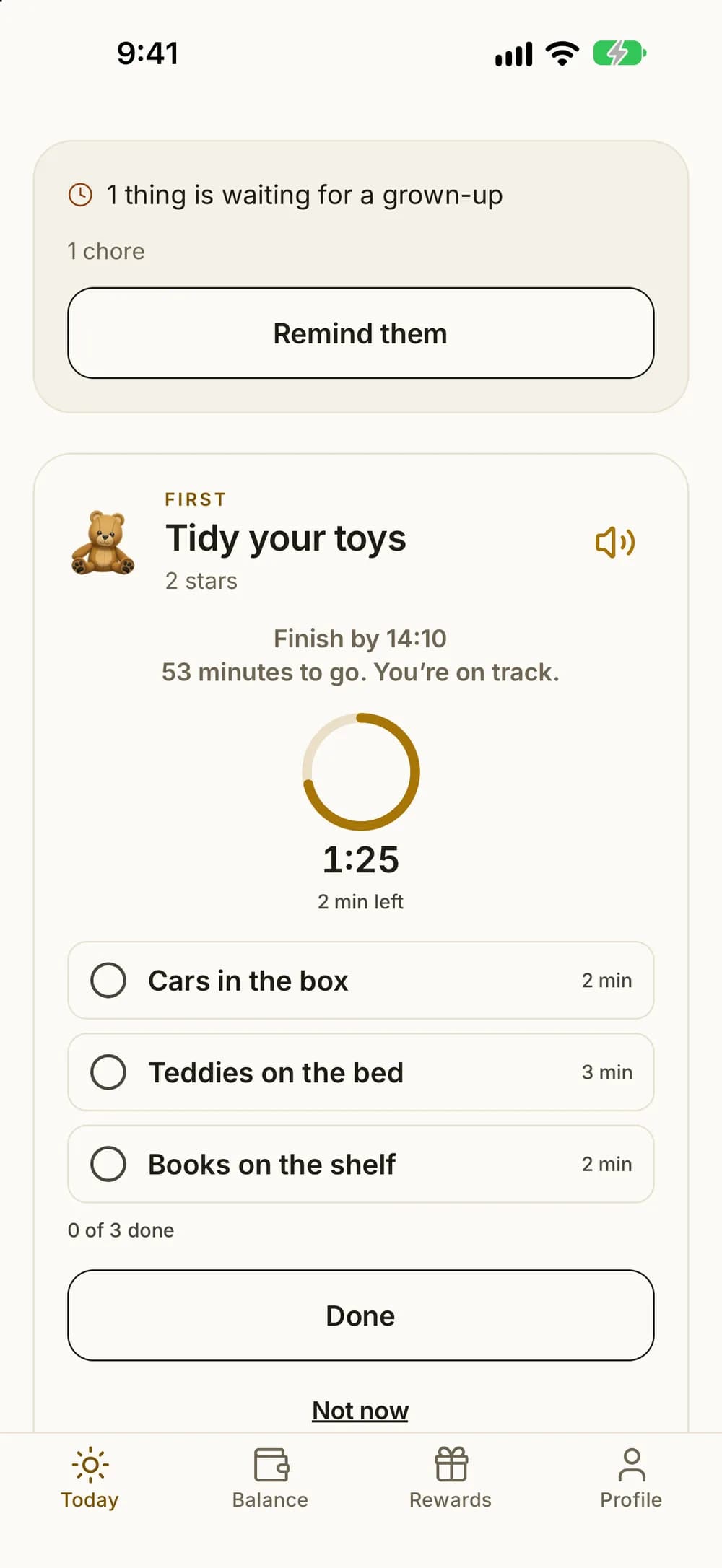
Some chores are easier in small steps, and some are about time, like reading or practicing. Focus mode shows one chore at a time, with the steps you wrote and a countdown when you want one.
- Up to eight steps per chore, written by you.
- A countdown for the whole chore, or time for each step, so the countdown follows the steps.
- Give a timed chore a time of day, and focus mode tells your child whether they're on track or a bit behind.
- Every step ticked early? Kroni shows that the rest is free time.
- Move on when time is up: the next step comes up by itself when a step's time runs out. That step can still be ticked.
- Hide the numbers: timers keep their rings and words, without minutes or clock times. For kids who find numbers stressful.
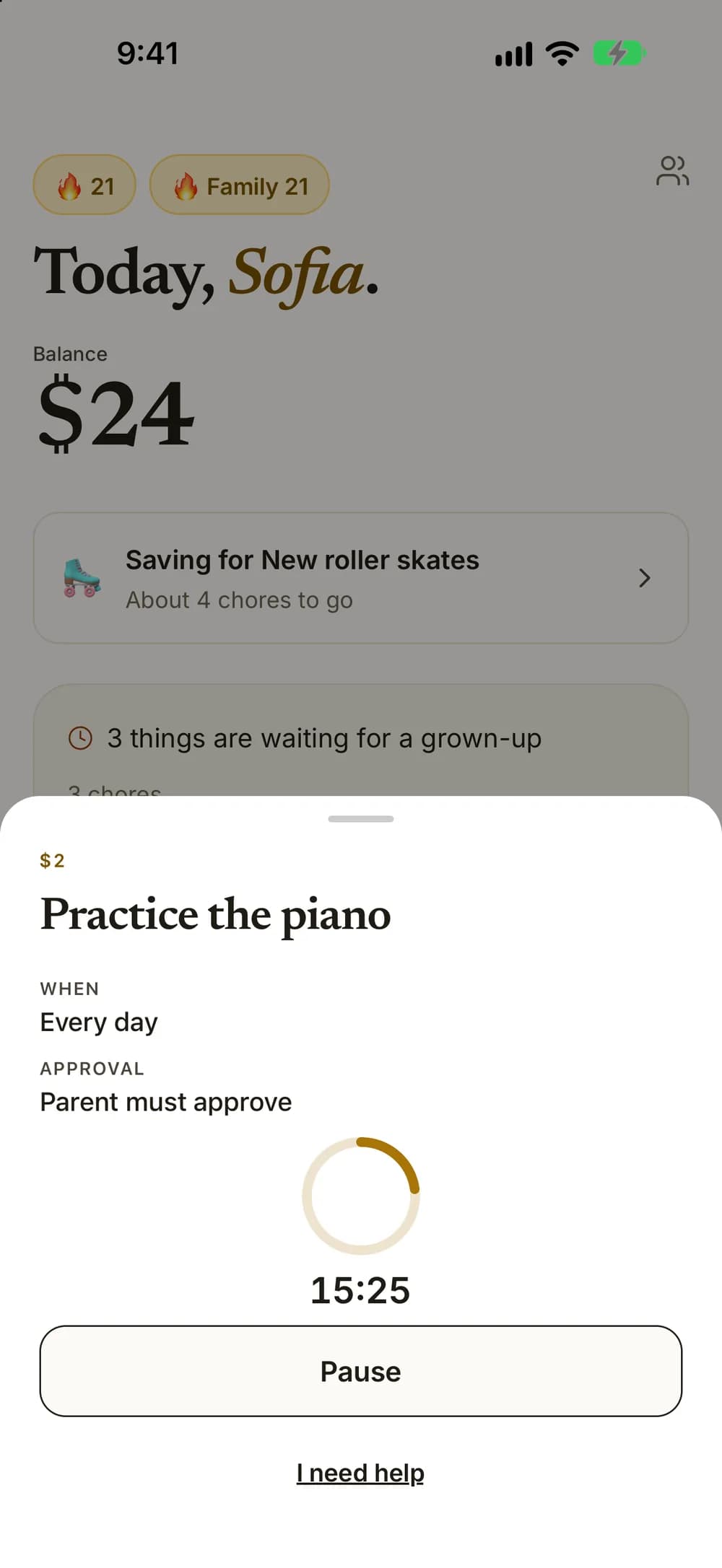
- Practice time: your child starts the timer for reading, times tables or an instrument, can take breaks, and hands it in once the minutes are in.
- When you approve, you see how many minutes they practiced.
- In the app, your child can get a notification when practice time is done.
- Read aloud: the device's own voice reads the chore and its steps. Good for kids who are still learning to read.
- Only what is due now: Today and focus mode show just the chores for this time of day. Must-dos always show.
- Calm mode: celebrations stay still and quiet, with no confetti or vibration, and streaks are hidden on Today.
The whole family
One family, one plan.
Invite your partner so you can both follow along and approve. The Family plan covers the whole household, not one child at a time.
- Invite a co-parent with a code, a link or a text. You share the family and the plan.
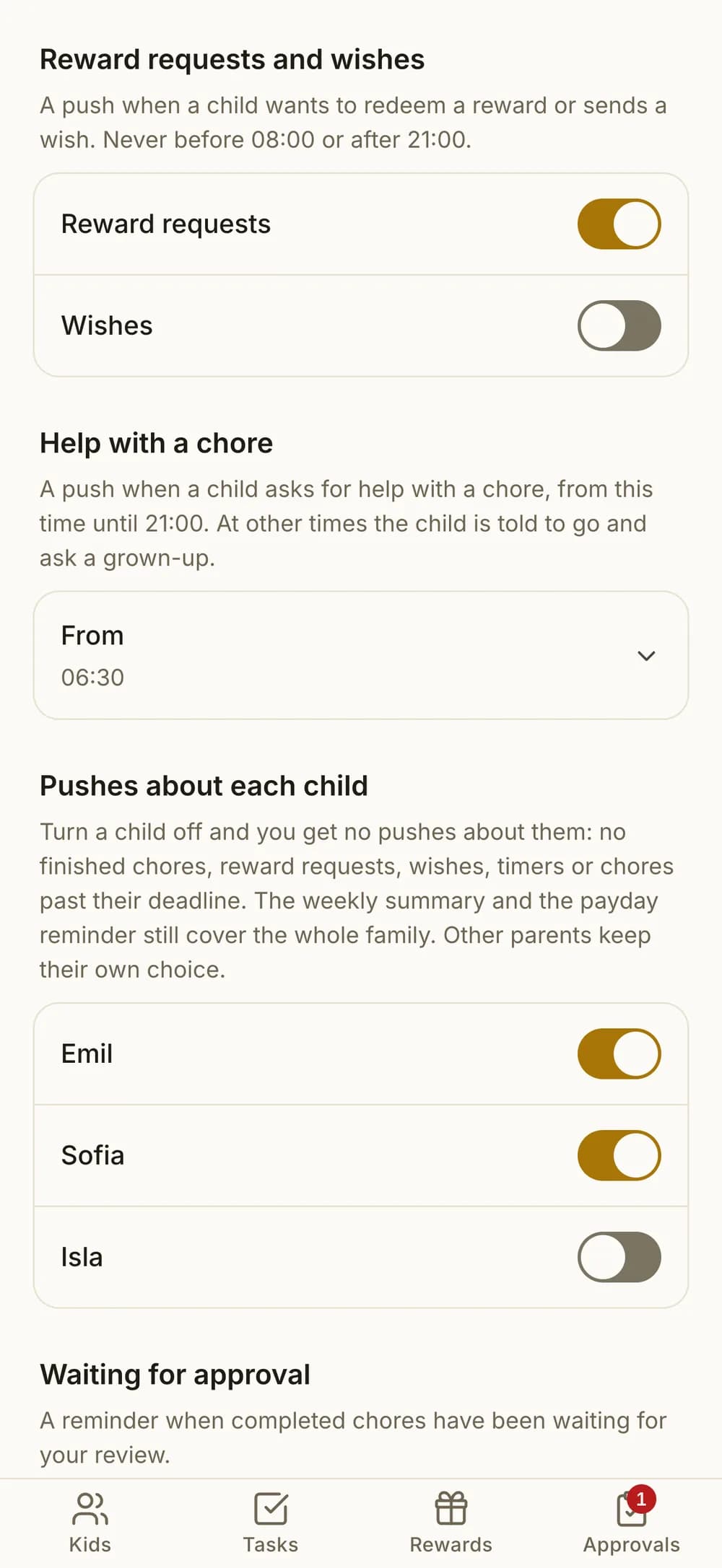
- Each parent picks their own notifications, and can turn off the ones about one child.
- Free to download. The free version covers one child and five active chores.
- The Family plan unlocks unlimited kids and chores, at one price for the whole family.
- Home screen widgets show your child's day and what is waiting for you. Your child can tick off their next chore, and you can approve the one that has waited longest.
- English, Norwegian, Swedish and Danish, with high contrast, larger text and screen reader support.
Questions about the features
Can my child pick rewards without asking?
Can a chore repeat every month?
Can Kroni time reading practice?
How does the stamp card work?
Can Kroni help my child get ready on time in the morning?
Can siblings work toward something together?
Does Kroni teach kids about money?
Start with one chore.
Create an account, add your child, and find one small agreement you'd like to try together.